
Try with
Try with a product photo
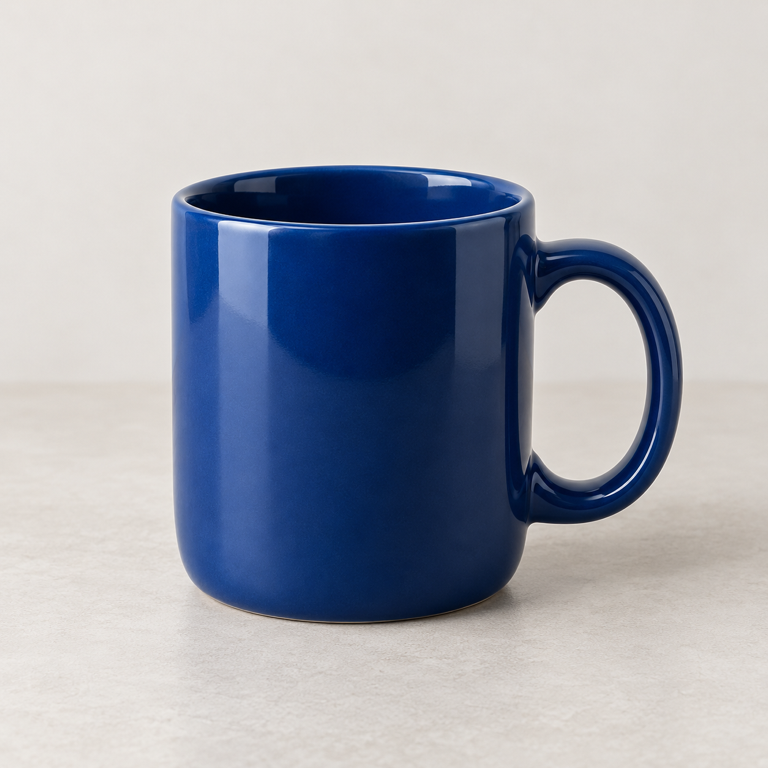
Open the blue mug photo and compare the proposed cup label and its box with the image.
What to inspectLook for missed objects, incorrect labels and boxes that do not fit. A score does not verify an item’s identity, condition or count.
Where this could help your company
Try the core task here. A company workflow can add your systems, review and access rules.
Product photo libraries
Suggest broad object tags so an editor can organize images.
Property photo libraries
Explore furniture and everyday-object labels for image search.
Operational photo intake
Add reviewable category tags before a person routes a photo.
Try it step by step
- Open the product photo example. No model is downloaded yet.
- Choose Load model and wait for Ready, then choose Find objects.
- Compare each label and box with the photo. Inspect the cup label on the mug example.
- Try another permitted image from the kinds of photos your team handles. Copy or download the results for review.
What does object detection return?
The tool proposes labels and bounding boxes for familiar objects in an image. Its scores help inspect the predictions, but they do not establish that a label is correct.
The selected model recognizes 80 broad everyday categories. It does not know your product SKUs, asset register or company-specific naming.
When are broad tags useful?
Broad tags can help an editor find a starting category in a large photo collection. They are less useful when the business needs an exact product, serial number or assessment of damage.
Review both false labels and missed objects. Test crowded photos, poor lighting and uncommon viewpoints before deciding whether suggested tags reduce manual sorting.
Questions about photo tagging
Will it recognize my exact product?
It recognizes broad everyday categories, not your SKU catalogue. Exact-product recognition needs a separately evaluated approach.
Can it count inventory?
The displayed detections are not a verified stock count. Objects may be missed, duplicated or misclassified.
Can it inspect damage or safety?
This tool does not inspect condition or certify safety. Its output is a set of proposed object labels and boxes.
Specifications
Model: RF-DETR Nano. Inputs are PNG, JPG or WebP up to 5 MiB and 12 million pixels. The output contains English labels, model scores and boxes for 80 everyday categories.
The first model and runtime download is approximately 55.7 MB plus app files. Choose Load model to begin. Your image and results remain in the browser tab, with no upload or cloud inference fallback.
Build a useful photo library
Start with one collection and a small set of useful categories. Decide whether tags help people search, route or review photos, and how they can correct an incorrect suggestion.
Garrich Torres Consultants can scope the intake, review and library connection around that task. Measure accepted tags and missed objects before automating any downstream step.